A SINGLE INTERFACE FOR COORDINATING RESPONSE

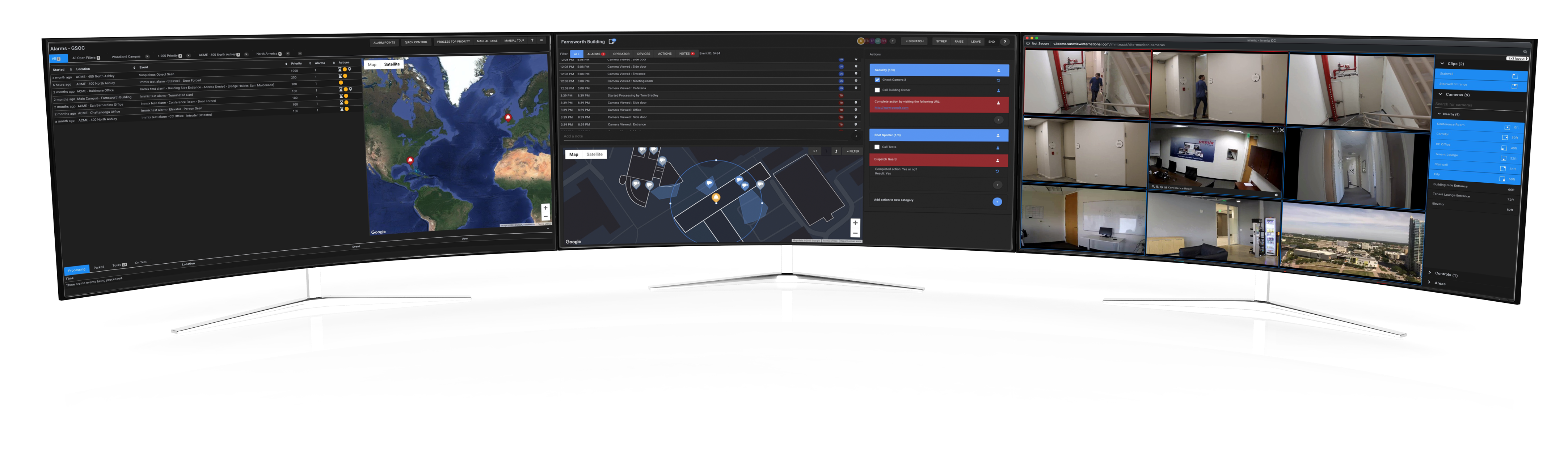
Your team only has to learn one interface for coordinating a response to security events. Immix CC is designed to be simple to use, guiding the operator consistently throughout their response regardless of the type of event or the system that generated the alarm.

INTEGRATION LIBRARY

Security never stays the same, new and different systems are constantly deployed as devices get old, new buildings are added and the latest technology provides a more effective security. Immix can integrate with over 500 leading video, access control, audio, alarm, mass notification, incident management and reporting systems, allowing you to pull multiple systems and versions onto its platform. This vast integration library allows your team to focus on the response rather than “wrestling” with different technologies from different systems .Learn More about our Integration Partners

GEOSPATIAL ASSET ASSOCIATION (GAA)

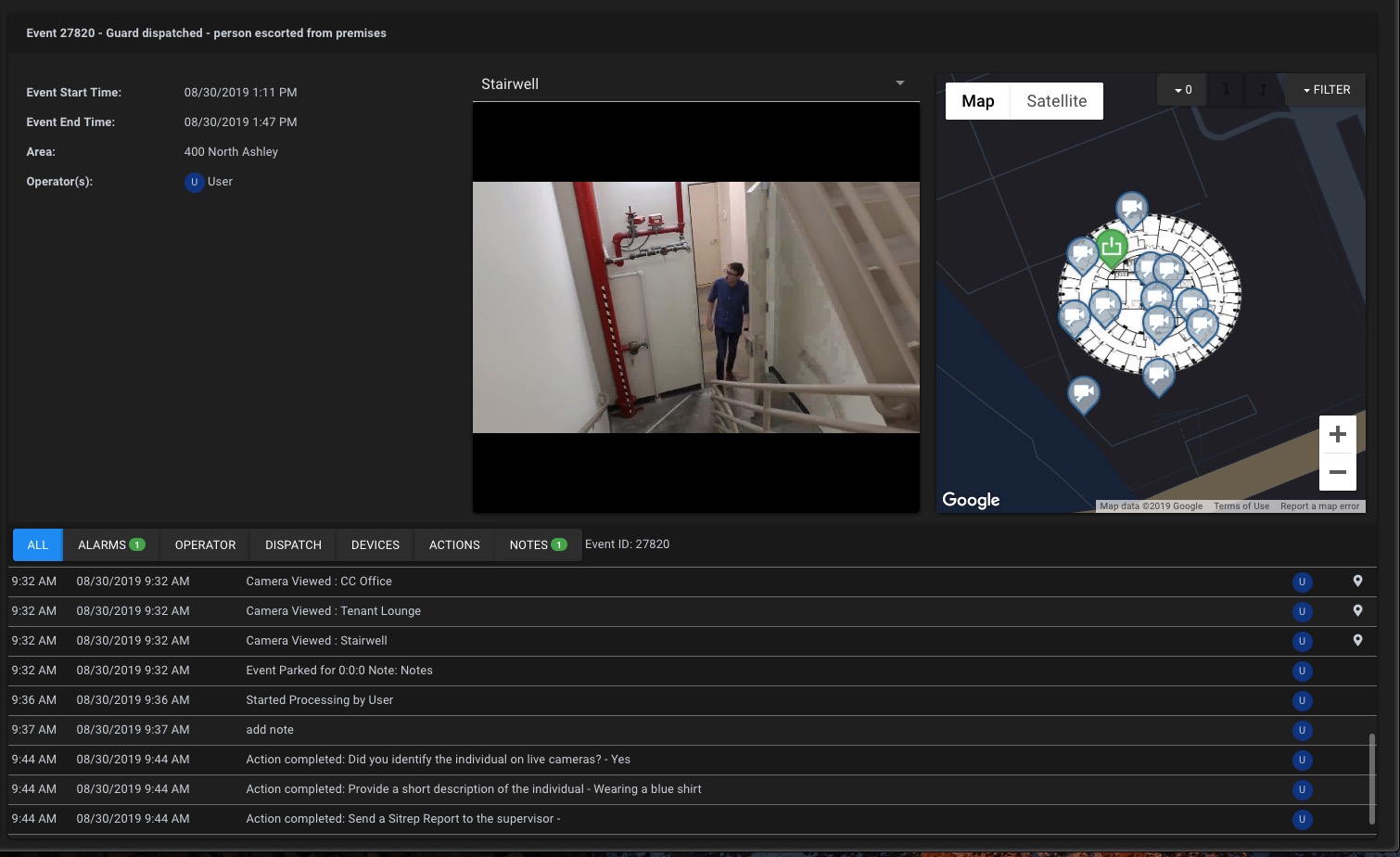
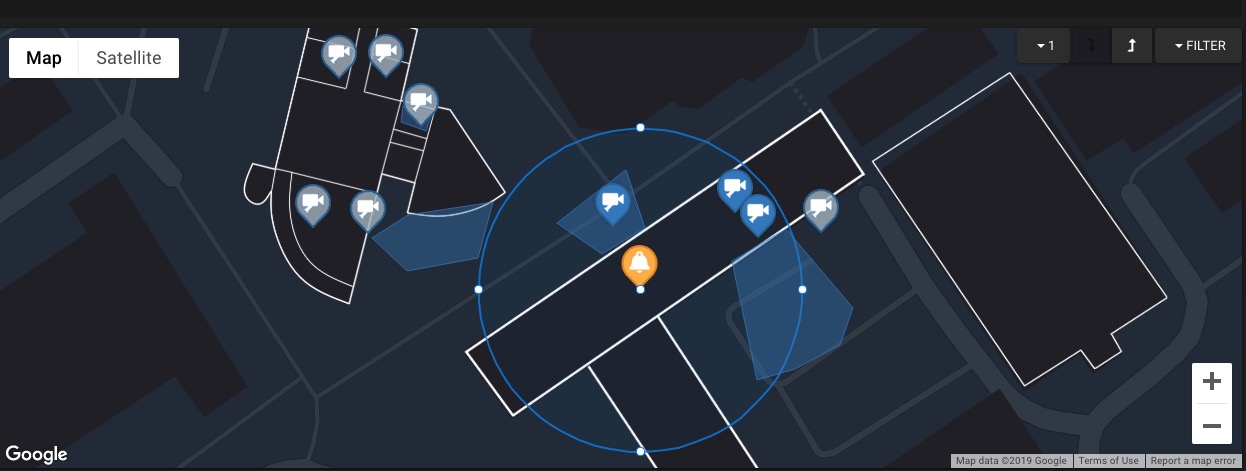
It’s a bit of a confusing term but what it delivers is simple to understand. We only show operators the cameras, doors and assets that are near the event. Of course, with a click, operators have the option to widen out to view a larger area.

ACTION PLANS

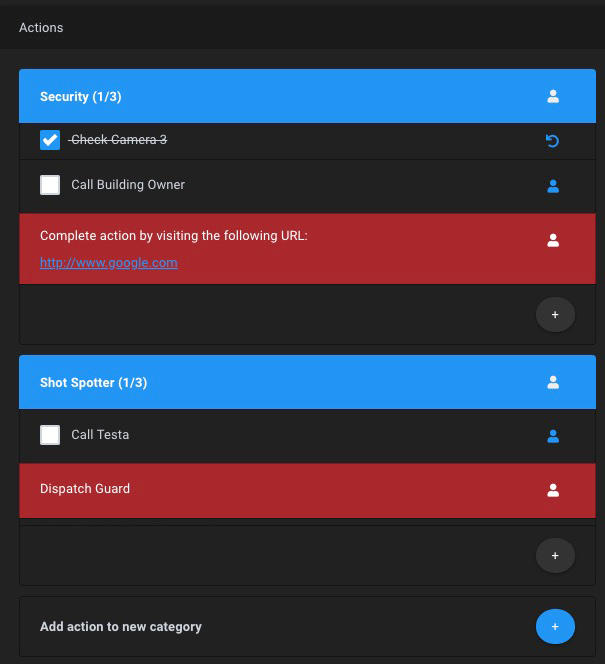
We designed a new approach to Standard Operating Procedures (SOPs)–we call it Action Plans. These are simple lists of actions that an operator follows when responding to a specific event. These lists of Actions are non-linear and provide both a clear guide but also offer flexibility so that operator can still respond in a way that is most relevant to the specific event. Actions can also be shared with other operators to assist in the response to an event.

SIMPLE SHARING

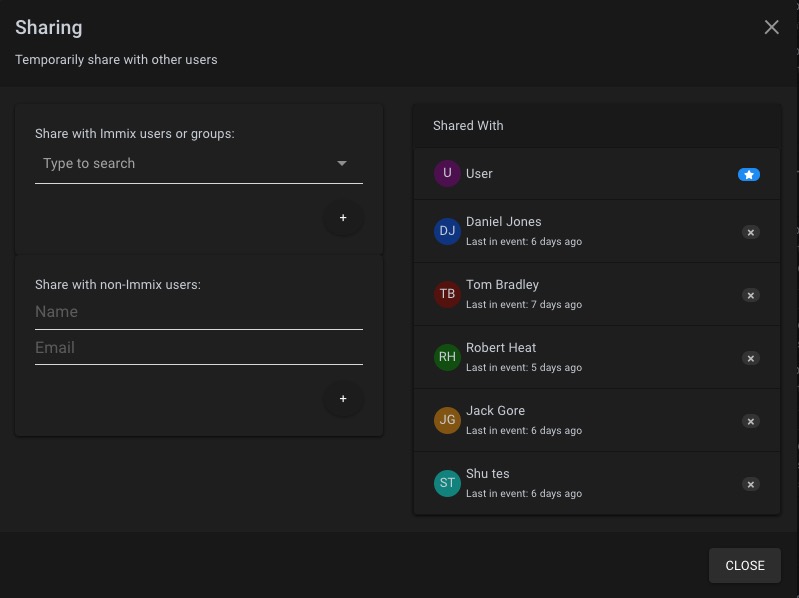
For critical events we have designed a simple way to share what the operators are looking at with others. With one click, operators can share their event with other operators or even with  others outside the organization, for instance first responders.

DISPATCH

As part of the coordinated response operators also have the option to dispatch their mobile guard force right from the Immix CC interface. When used with the Immix Mobile App, guards receive push alerts to their phones with instructions on the nature of the event. The guard can then provide updates, photos, and video right from their phone. As before, everything that guards saw, said and did, is recorded in the Immix CC multimedia audit trail for reporting, compliance, and debriefing requirements.

SITREP KEEPS EVERYONE INFORMED

Need to send your management or key stakeholders a Situation Awareness Report (SitRep) on the status of an evolving critical event? With the click of a button Immix CC prepares a professional report with all the current information for easy sharing. The operator hasn’t taken their focus off the response because Immix has given all the key stakeholders the information they need to stay informed.

AND AFTERWARDS…IMMIX REMEMBERS WHAT YOU CAN’T

Remember, everything the operator saw, said and did is recorded in the real-time date stamped multimedia audit trail. Immix CC takes the guesswork out of piecing together what happened after the event, it all available in a simple to search-and-review interface.

AND, FINALLY—MANAGEMENT REPORTING

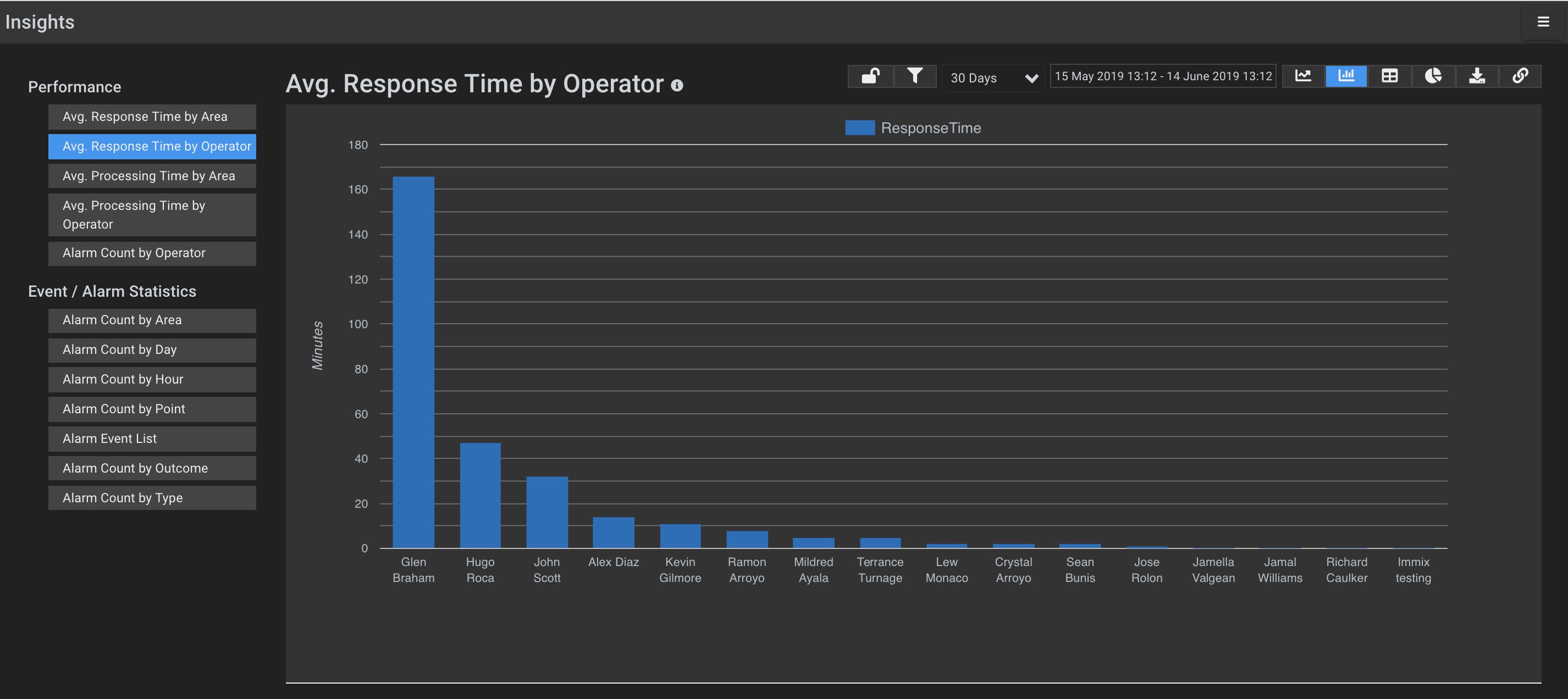
Immix Insights provides an interactive interface to analyses key performance metrics of your team. With a focus on response times and alarm and event statistics, Insights helps identify areas of your operation that can be improved.

WHY CUSTOMERS BUY IMMIX CC

Integration Library

Leverage the largest integration library across 7 major technologies

Reduce the Noise

Focus on whats important to coordinate the response

Enforceable SOP's

Enforce action plans for consistent event response

Consistent Operator Interface

A single user experience provides operators with the confidence to respond quickly and efficiently under the most stressful situations

Audit Trail

Everything the operator saw, said and did is captured in a multimedia audit trail for transparent case management

Scale

Built to support organizations with global deployments

WHAT'S NEW?

After talking with our customers we decided to redesign our primary operator interface focusing on 3 major functions – improving operator response by filter the information they are presented to whats nearsest to the event, for critical events make it easy to share with other to help coordinate the response and making our SOP’s more flexible. We of course added a load of extra features but our overall design was drawn primarily from these 3  foundational functions.

More New Features

Multiple Alarm Filters

Alarm Queue Filters. Create multiple different views of your alarm queues in separate tabs.

Dispatch

Coordinate the dispatching of guards from within the event.

SitRep Report

New Situation Report that provides a simple snapshot of the current status of the event response.

Quick Control

Provides operators with a simple option to pulse a door without raising an event.

Dark Theme

A new color scheme makes it easier for operators to use, especially in dark command center